




Remote work has permanently changed how teams communicate. Whether your team is distributed across locations, working from home, or running a hybrid setup your phone system is no longer optional. It’s core infrastructure.
Choosing the right one comes down to three things: reliability, flexibility, and how well it fits the way your team actually works.
This guide compares the top phone systems and managed solutions for remote teams in 2026, based on real-world factors including call quality, ease of setup, AI features, integrations, and total cost.
Traditional phone systems were built for offices fixed desks and limited flexibility. That setup doesn’t work for distributed teams.
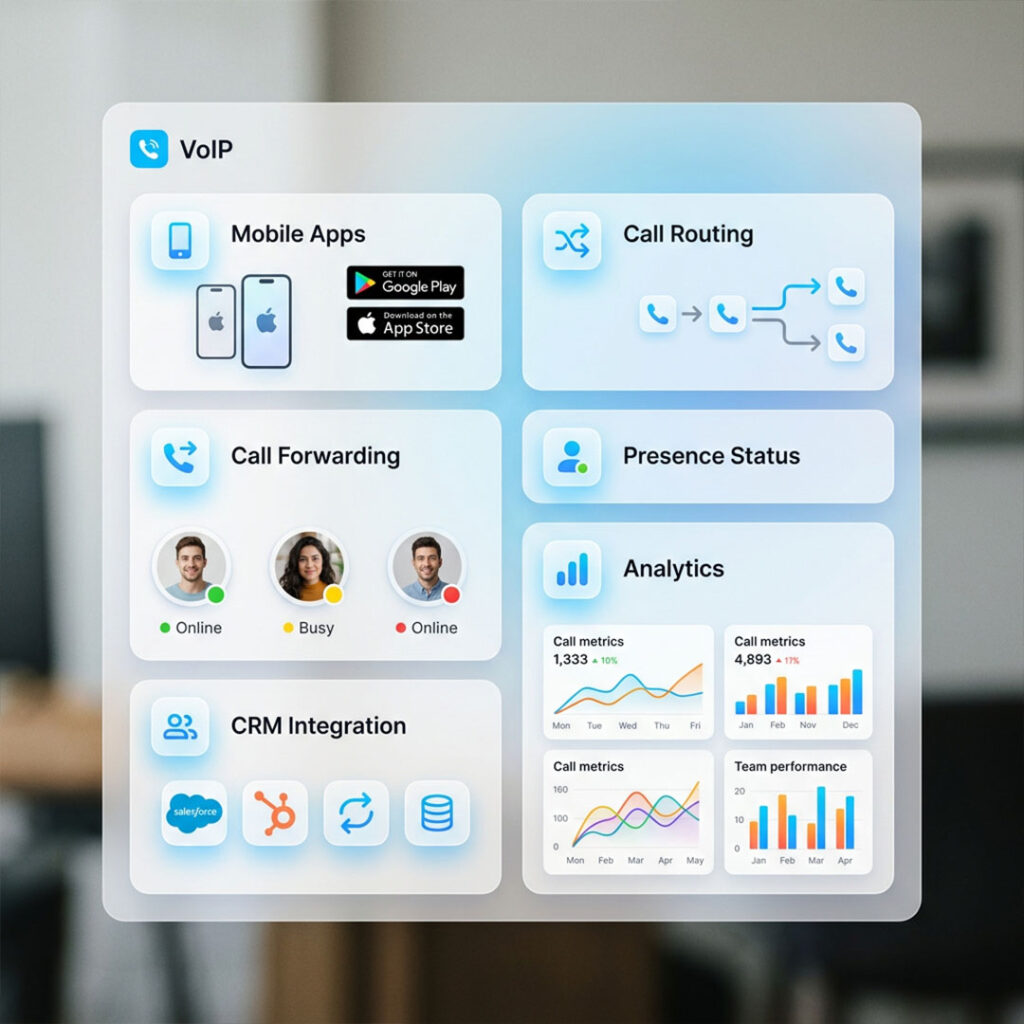
VoIP removes that limitation. Teams can take calls from anywhere using the same business number across devices. It also connects calls with tools like CRM, messaging, and meetings, reducing gaps between systems.
For managers, this improves visibility into call activity and performance. This is why businesses are moving to VoIP it fits how remote teams actually work.
Missed calls when no one is tied to a desk
No visibility into who is available and when
Staff taking business calls on personal devices creating compliance and tracking gaps
Disconnected tools for calls, messaging, and meetings
Poor call quality on home networks
No reporting or performance data for managers
A modern phone system is designed to solve these but not every solution handles them equally well, and not every business needs the same approach.
The result: remote teams operate with the same or better efficiency than office-based ones.
See what actually fits your team
| PROVIDER / SOLUTION | TYPE | STARTING PRICE* | BEST FIT | KEY DIFFERENCE |
|---|---|---|---|---|
| The VoIP Shop | Managed service | Quote based | Teams without IT resources | Fully managed setup, support & 3CX hosting |
| RingCentral | Cloud platform | ~£15–£25/user/mo | Mid–large teams | Full UCaaS suite |
| Dialpad | Cloud platform | From ~£12/user/mo | AI-focused teams | Built-in AI across plans |
| Aircall | Cloud platform | From ~£24/user/mo | Sales & support teams | Deep CRM integration |
| Zoom Phone | Cloud platform | From ~£8/user/mo | Zoom users | Simple & cost-effective |
| Microsoft Teams Phone | Cloud platform | From ~£6–£12/user/mo | Microsoft 365 users | Native M365 integration |
| Vonage | Cloud platform | From ~£10/user/mo | SMBs & flexible setups | Strong API & customisation |
Pricing varies by region, billing terms, and add-ons
Microsoft Teams Phone requires a Microsoft 365 licence
Compare based on your needs
Pricing: Quote based
The VoIP Shop provides a fully managed 3CX phone system for UK businesses. It handles setup, number porting, hardware, and ongoing support, so there is no need to manage the technical side internally.
This makes it a practical option for companies moving away from legacy PBX systems or those without dedicated IT support.
Best for
Businesses without in-house IT that want a fully managed solution.
Drawbacks
Less suitable for teams that want full control over setup and configuration, as most changes are handled through the provider.
Pricing: Around £16/user/month (Core plan)
RingCentral combines voice, video, messaging, and collaboration in one platform. It removes the need to manage multiple tools for communication.
It also integrates with a wide range of systems, including major CRM platforms, making it suitable for businesses with more complex workflows.
Best for
Mid-sized to large teams needing an all-in-one communication system.
Drawbacks
Costs increase as features are added. May be more than smaller teams require.
Pricing: From £12/user/month
Dialpad includes AI features such as live transcription, call summaries, and agent coaching across its plans. These are often restricted to higher tiers in competing platforms.
Best for
Teams that want AI functionality without moving to enterprise-level pricing.
Drawbacks
Fewer integrations than larger platforms. Performance depends on connection quality.
Pricing: £24/user/month (minimum users required)
Aircall is built for sales and support teams where calls are directly linked to outcomes. CRM integrations log calls, notes, and recordings automatically, reducing manual work and improving data accuracy.
Best for
Teams that rely heavily on CRM systems.
Drawbacks
No native video conferencing. Requires a minimum number of users.
Pricing: £8/user/month
Zoom Phone extends the Zoom platform into a full business calling system. Setup is quick, and the interface is easy to use, especially for teams already familiar with Zoom.
Best for
Small to mid-sized teams looking for a straightforward and affordable solution.
Drawbacks
Limited call centre features and reporting compared to more specialised platforms.
Pricing: £6/user/month (Microsoft 365 add-on)
Teams Phone adds calling features such as auto-attendants, call queues, and voicemail directly into Microsoft Teams. It allows businesses to manage communication and collaboration in one platform.
Best for
Organisations already using Microsoft 365 that want a unified system.
Drawbacks
Setup is more complex than standard VoIP tools. Advanced configurations usually require IT support.
Pricing: £10/user/month (varies by plan and billing term)
Vonage provides a reliable cloud communications platform with strong API capabilities. It works well for businesses that need customised workflows or deeper integration with existing systems.
It also covers core features such as call routing, applications, CRM integration, and messaging.
Best for
SMBs and teams that need flexibility or custom integrations.
Drawbacks
AI features are less advanced than Dialpad. Less specialised than Aircall for sales-focused use cases.
Find the system that fits your team
£8–£40
Typical per user / month range
+15–25%
Added by extras: porting, hardware, taxes
1–4 wks
Typical number porting timeline
Most common mistake: choosing the cheapest headline price, then adding everything needed to make it work — and ending up spending more than a higher-tier plan that included it all. Always calculate based on your real usage, not the starting price.
Pricing varies by region, billing terms, and add-ons. Figures shown are indicative starting points, not total cost.
Get clear pricing before you decide
Self-Serve Setup
Platforms like Dialpad, Aircall, and Zoom Phone are built for fast deployment. Basic setup and user configuration can typically be done in a day. Number porting is the only step that takes longer usually one to four weeks depending on your existing provider.
Best for teams with simple requirements and the internal confidence to manage the system going forward.
Managed Setup
For businesses migrating from legacy systems, running multi-location setups, or without internal IT resources — a managed approach carries less risk.
A managed provider handles this end-to-end: scoping, configuration, number porting, hardware supply, and ongoing support. Less direct control, but less technical overhead.

Avoid setup mistakes and delays
Step 1 — How critical is calling to your business?
If calls are occasional or internal, Zoom Phone or Teams Phone is sufficient. If calls drive revenue or support operations, you need Aircall, Dialpad, or RingCentral.
Step 2 — What size is your team?
Smaller teams need ease of use. Growing teams need integrations and reporting. Larger teams need scale, advanced routing, and structured workflows.
Step 3 — What is your primary use case
Sales teams need CRM integration. Support teams need queue management and reliability. Internal-first teams benefit from platform consolidation.
Step 4 — How much control do you want?
Cloud platforms are simpler to start with. 3CX gives more control.
Step 5 — What is the real cost?
Add-ons, usage, and scaling increase your bill. Calculate total cost for your actual requirements — not just the headline price.
Step 6 — Simplicity or control?
Every decision comes down to this. Pick the system that fits your workflow with the least friction, not the one with the longest feature list.

Still unsure? Get clear direction
At Compare Phone Systems, We don’t treat this as a feature checklist. What matters is how each system works in real use. Some platforms look similar at first but differ once you factor in team size, workflows, and setup complexity. That’s where the comparison focuses. Rather than listing everything, we focus on what actually impacts daily use call quality, integrations, pricing structure, and how easy it is to get started. The aim is simple: filter out what doesn’t fit, so you can choose faster without second-guessing.
It depends on your situation. RingCentral is the strongest all-in-one platform. Dialpad leads on AI. Aircall is best for CRM-driven teams. Vonage suits businesses that need API flexibility. If you want a fully managed setup without handling technical complexity yourself, a managed provider like The VoIP Shop is a practical option for UK businesses.
Start with how your team actually uses calls, then decide how much setup and management you’re willing to handle. If the answer is “as little as possible,” working with a provider is the right starting point — and at Compare Phone Systems, we help you compare the right options without guesswork
Yes — but call quality depends on your internet connection. Stable bandwidth, low latency, and minimal jitter are required. Most modern platforms include automatic failover to handle connection drops.
Mobile and desktop apps, call routing, CRM integration, and analytics are the most important. These directly determine how well your team handles calls day to day.
Base pricing runs from £8 to £40 per user per month, but the real cost depends on add-ons, usage, and required features. Entry pricing rarely reflects total spend.
It depends on your resources. Self-managed gives more control but requires technical expertise. Managed providers are the better fit for businesses without a dedicated IT team.
Basic configuration can often be done in a day. Number porting typically takes one to four weeks. A managed provider reduces the risk of delays and disruption during the transition.
If you’re unsure which system fits your setup, getting a tailored recommendation is usually faster than comparing everything manually. The right choice depends on your team size, workflows, and how much you want to manage internally.
Instead of over analysing features, focus on what impacts your day-to-day operations call reliability, integrations, and ease of use. If you want clarity based on your specific requirements, you can request a quote and get guidance on what fits best.