





Microsoft Teams Phone System turns everyday Teams into a full business phone platform for UK organisations. No more desk phones, separate call apps, or messaging tools calls, meetings, and collaboration all run through one system staff use daily. Businesses manage communication from single place instead of juggling multiple services. For PSTN and ISDN switch-off, Teams Phone System keeps existing numbers, handles 999 emergency calling, shifts to Microsoft Teams VoIP without changing how customers reach you. Companies modernise phones while maintaining their public number presence and UK telecom compliance completely. As UK copper networks phase out, businesses face voice service decisions. Microsoft Teams Phone System offers cloud-based solution fitting modern work patterns. Organisations replace traditional lines without overhauling entire communications infrastructure.
Microsoft Teams Phone System brings business calling directly into Teams. Traditional PBX hardware and phone lines get replaced by Teams VoIP that runs in Microsoft’s cloud. No servers take up space in your office.
Administrators handle users, numbers, routing and security via the Microsoft 365 admin centre. PBX maintenance simply disappears from the equation.
With Teams Phone System, UK businesses can:
Teams changes from collaboration app to complete Microsoft phone system.
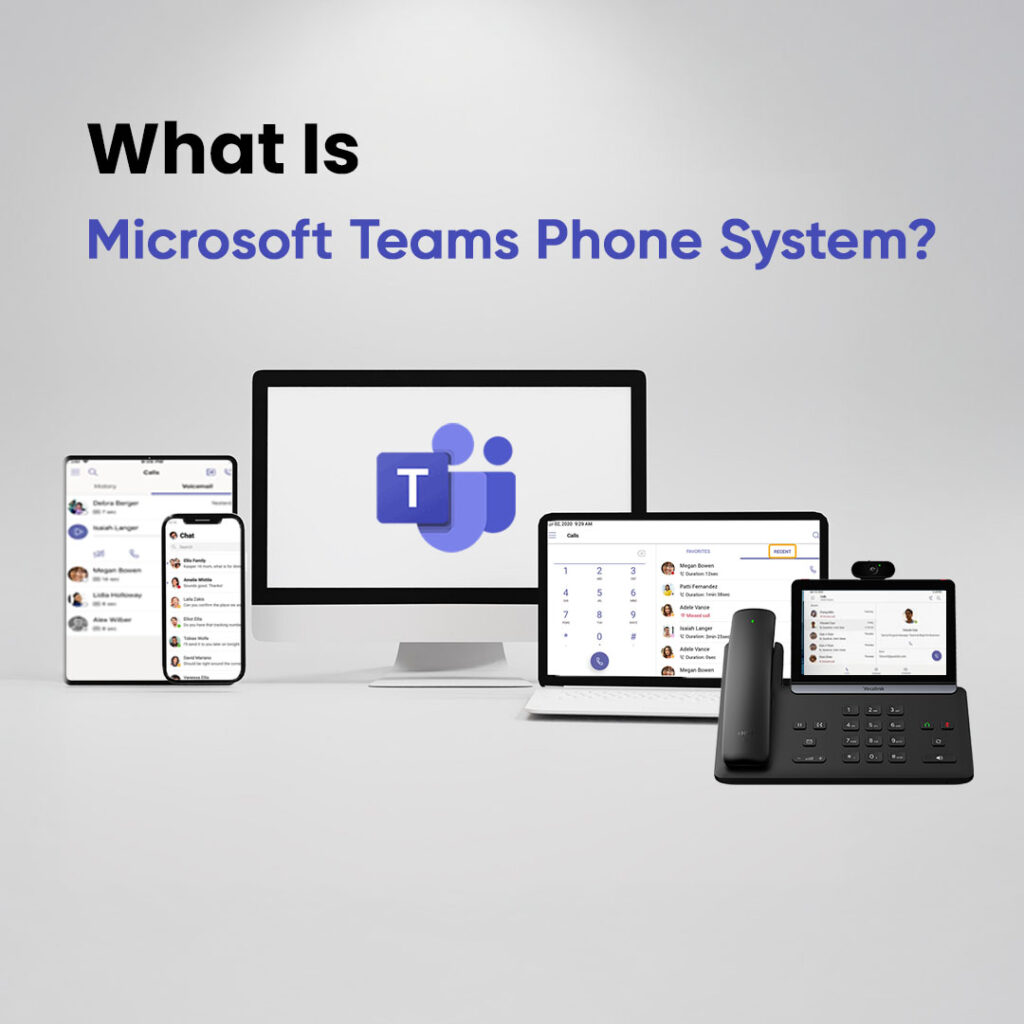
Microsoft Teams Phone System belongs to the UCaaS category Unified Communications as a Service. It combines multiple tools into one cloud platform instead of working as just a phone system.
Hosted PBX platforms handle calls primarily. VoIP providers supply SIP lines and basic call features.
UK phone systems split into three main groups:
Traditional PBX systems running on physical hardware
VoIP services focused mainly on internet calling
UCaaS platforms like Teams VoIP that mix calling, meetings, messaging, collaboration
See how it compares to other systems
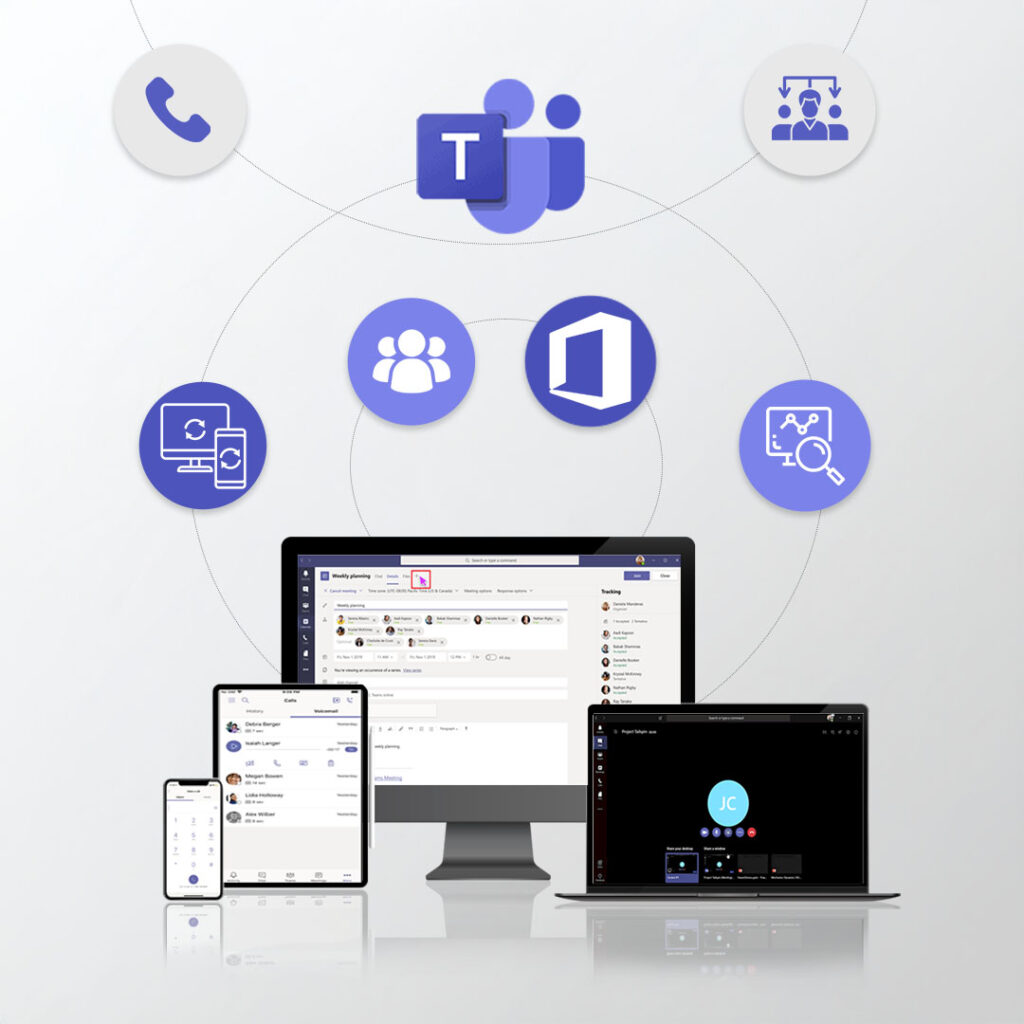
When customers dial your business number, Microsoft Teams Phone System carries the call over Teams VoIP straight into Teams. The system checks your routing rules and sends it to the right person, queue, or auto attendant.
Calls work on:
Since everything ties to one Microsoft user account, staff keep their business number anywhere. Office, home, travelling they answer in the same Teams Phone System app.
UK businesses face PSTN and ISDN switch-off by 2027. Copper networks can’t handle cloud services, flexible working, or modern call features.
Transfer BT, SIP, or hosted PBX numbers into Teams Phone System customers dial exactly the same way. Teams VoIP offers low-risk transition from traditional lines while keeping business continuity intact.
Auto attendants and digital receptionists
Voicemail and voicemail-to-email
Desktop, mobile, and desk phone apps
Integration with Outlook and Microsoft 365
Call queues and ring groups
Call recording and reporting
Conference calling and screen sharing
Call recording and reporting
All users, numbers, and call flows are managed in Microsoft’s admin portal, giving IT teams full visibility and control without maintaining any on-site telephony hardware.
See feature differences side by side.
Microsoft has added AI-powered features to the Microsoft Teams Phone System to improve call handling and efficiency. These include:
These tools allow businesses to handle higher call volumes, capture important conversations, and improve customer experience without increasing headcount
No PBX hardware means fewer IT bills and simpler per-user licensing. Skip maintaining physical phone systems completely. Monthly expenses drop compared to traditional setups.
Staff keep the same business number across laptops, mobiles, desk phones. Work from office, home, or travel without missing calls. Hybrid teams stay connected seamlessly.
Calling lives alongside Outlook, calendars, contacts, files—all in one system. No jumping between apps for communication. Everything centralised where teams already work.
UK number porting works smoothly with 999 emergency calling support. Move off copper lines without changing public numbers. Businesses stay compliant during switch-off.
Add or remove users without new phone lines or hardware installs. Perfect for growing teams or seasonal peaks. Flexibility matches business changes instantly.
Microsoft 365 admin portal manages all users, numbers, call routing. No on-site phone equipment to troubleshoot. IT gains full visibility without hardware headaches.
Microsoft Teams Phone System works perfectly for businesses already using Microsoft 365. Phone calling lives alongside email, meetings, file sharing all in one platform. Hybrid and remote teams answer business calls from any device through the Teams app they know.
Professional services, sales teams, support desks benefit most. Call history, contacts, calendars stay together. Organisations replacing PSTN or ISDN gain too UK number porting and 999 calling without new hardware installations.
Large Call Centres
Complex IVR trees, advanced queue logic, detailed agent reporting exceed Teams Phone limits. Platform prioritises collaboration over deep call-centre control.
Non-Microsoft 365 Users
Teams Phone demands Microsoft ecosystem for identity, licensing, management. Businesses without M365 face steep setup barriers.
Unreliable Internet Sites
Poor broadband kills Teams VoIP call quality. Stable connections remain essential for clear voice.
Teams Phone shines for Microsoft shops and hybrid teams, not high-volume contact centres or legacy setups.
Feature | Teams Phone | 3CX | RingCentral |
Microsoft integration | Native | Moderate | App-based |
Per-user cost | £7–£12 | Usage-based | £10–£20 |
UK data centres | Yes | Varies | Yes |
Call centre scale | Basic | Advanced | Advanced |
Setup complexity | Simple | Custom | Moderate |
The Microsoft Teams Phone System uses a per-user licensing model.
UK Pricing 2026
This makes your pricing accurate and legally safe for UK carriers like Gamma, BT, Voiceflex, etc.
See real UK phone costs
Microsoft Teams Phone System connects to the public phone network three different ways. Your best pick depends on team size, call volume, and control needs.
Small teams pick Calling Plans. Growing businesses go Operator Connect. Call-heavy firms choose Direct Routing.
Choosing a connection method
Getting or porting UK phone numbers
Assigning licences and numbers
Configuring call routing
Setting up 999 emergency calling
Connecting devices
Compare Phone Systems treats Microsoft Teams Phone System as one option within the wider UK business phone market. It is assessed alongside platforms such as 3CX, RingCentral, and hosted PBX services based on cost, Microsoft 365 usage, call handling, and scalability. Rather than promoting one solution, CPS highlights where Teams Phone fits best — and where other platforms may offer better value or functionality — so businesses can choose the phone system that matches their actual working style and growth plans.
Not sure which phone system fits your business?
Traditional phone systems mean on-site PBX hardware and physical lines. IT staff or telecom engineers keep them running. Growth, office moves, new hires—all bring upgrades, engineer visits, costs, downtime.
Microsoft Teams Phone System lives entirely in Microsoft’s cloud through Teams VoIP. No PBX equipment anywhere. Numbers, users, call routing get managed via Microsoft 365 portal.
Staff answer calls on laptops, mobiles, desk phones—same business number everywhere. New team members join in minutes. Fresh offices need no phone installs or new lines.
UK businesses dropping PSTN/ISDN see big wins. Microsoft phone system skips copper line risks completely. Internet calling delivers better reliability, easier growth, lower upkeep than old hardware.
Many VoIP platforms focus mainly on call handling. Microsoft Teams Phone is designed around collaboration. It brings calling, meetings, messaging, and file sharing into one platform.
Teams Phone typically offers:
Other VoIP platforms often focus more on:
The best choice depends on whether your business values collaboration or complex call handling more.

Before choosing Teams Phone, consider:
These factors affect cost, reliability, and long-term suitability.
Microsoft Teams Phone runs on Teams VoIP over the internet, skipping traditional phone lines completely. Calls land in Microsoft’s cloud then hit the Teams app wherever staff work. Any connected device handles business calls without hassle.
Teams Phone System delivers full cloud PBX for UK businesses—no on-site hardware needed anywhere. Extensions, routing, auto attendants, voicemail, queues all work through Microsoft 365 admin. Complete PBX replacement without the maintenance headaches.
Teams Phone manages geographic and non-geographic UK numbers perfectly. Port existing BT or SIP numbers—customers dial exactly the same as always. Seamless PSTN/ISDN switchover without number changes.
Microsoft Teams Phone provides full UK-compliant 999 emergency calling. Location data gets configured so services find callers fast. Meets all regulatory and workplace safety standards completely.
Teams Phone System works across desktop, mobile, desk phones using single accounts. Business numbers stay the same everywhere staff go. Remote and hybrid working happens without call forwarding complications.
Desk phones remain completely optional with Teams VoIP. Teams app handles calls fine on computers or mobiles alone. Add Teams-certified handsets only when physical phones make sense.
Most UK business numbers port easily into Microsoft Teams Phone. BT lines, SIP trunks, hosted PBX numbers all transfer smoothly. Customers call exactly the same numbers after VoIP migration.
Teams Phone System uses Microsoft enterprise-grade security and encryption throughout. Call data stays protected in UK/EU data centres. Full GDPR compliance handles business security needs.
Microsoft phone system includes built-in queues and auto attendants ready to use. Digital receptionists route calls to right teams efficiently. High call volumes get handled professionally every time.
Teams Phone suits small and medium UK firms using Microsoft 365 perfectly. Professional phone features arrive without PBX hardware costs. Teams scale numbers and users easily as businesses grow.
Ready to Compare Your Options?
UK business phone choices now span Teams Phone, 3CX, RingCentral, hosted PBX—each matching specific team sizes and workflows.
Compare Phone Systems (CPS) delivers side-by-side clarity on costs, Microsoft 365 integration, call handling limits, and PSTN readiness.
Three critical wins:
CPS eliminates guesswork, ensuring the right telephony fit first time.